
Automated Incident Reporting for HIPAA: How Veri‑Hub Compliance Dashboard Helps Small Practices Respond Faster

When a potential security incident happens at your practice, every minute counts. A misplaced laptop, a suspicious email clicked by mistake, an unauthorized access attempt—these situations demand quick action. But for many solo providers, clinics, and small healthcare practices, incident reporting still lives in email chains, paper forms, or “tell whoever you can find.”
That approach doesn’t just slow you down. It creates gaps in your HIPAA documentation and puts patients’ protected health information (ePHI) at risk—especially when you need clear, audit‑ready records without the complexity of enterprise systems.
Veri‑Se3ure is a HIPAA technical security and compliance platform for solo providers, clinics, and small healthcare practices needing clear, audit‑ready documentation without enterprise complexity. The Veri‑Hub Compliance Dashboard helps centralize the core HIPAA Security Rule safeguard areas—so you can bring structure, clarity, and real‑world usability to:
tracking and documenting employee access levels
tracking annual cyber‑awareness training
recording and managing incident response reporting
maintaining HIPAA‑aligned security policies (including our integrated offering, Veri‑Se3ure Policies, an audit‑ready policy library tailored for small practices)
Done well, this kind of centralization helps small practices stay secure, organized, and better prepared for audits—without relying on scattered spreadsheets, email threads, or enterprise tooling that doesn’t fit.
In this post, we’ll focus on incident response—specifically, how the automated incident reporting form in the Veri‑Hub Compliance Dashboard gives staff a simple way to report issues immediately, while giving admins a clear, trackable workflow and audit‑ready documentation.
Let’s walk through how it works and why it matters for your HIPAA security documentation.
Why Manual Incident Reporting Fails Healthcare Teams
Picture this: A front-desk staff member notices something odd on their computer screen. They think it might be a security issue, but they're not sure who to tell. They send an email to their supervisor, who forwards it to IT, who eventually loops in compliance... three days later.
Sound familiar?
Manual incident reporting creates several problems:
Delays in response time that can turn minor issues into major breaches
Inconsistent documentation that won't hold up during an audit
Human error when details get lost between handoffs
Unclear ownership of who's responsible for next steps
Missed HIPAA timelines that can result in penalties
HIPAA's Breach Notification Rule requires covered entities to notify affected individuals within 60 days of discovering a breach. That clock starts ticking the moment someone in your organization knows (or should have known) about the incident. A slow, fragmented reporting process eats into that timeline before you even begin your investigation.

Introducing Automated Incident Reporting in Veri‑Hub Compliance Dashboard
The incident reporting form in the Veri‑Hub Compliance Dashboard is designed for busy small practices that need structure and clarity—without bolting on enterprise complexity. Here’s what it delivers:
For employees:
A simple, guided form accessible from any device
Clear prompts so they know exactly what information to include
Instant submission: no hunting for email addresses or paper forms
Confirmation that their report was received and logged
For administrators and compliance officers:
Real-time alerts when new incidents are submitted
A centralized dashboard to view, assign, and track all reports
Built-in workflow stages (reported → under review → resolved)
Automatic timestamps and audit trails for documentation
Exportable records for audits and regulatory reporting
This isn't about adding more bureaucracy. It's about making incident response easier for everyone while building the documentation trail HIPAA requires.
What Should Employees Report?
One of the biggest barriers to effective incident response is uncertainty. Employees often hesitate to report something because they're not sure if it "counts" as an incident.
Our advice? When in doubt, report it.
The automated form in the Veri‑Hub Compliance Dashboard is designed to capture potential incidents early—before they escalate—and keep reporting consistent for audit‑ready documentation. Here’s what your team should report:
Definite Security Incidents
Confirmed unauthorized access to systems or patient records
Lost or stolen devices (laptops, phones, tablets, USB drives)
Ransomware, malware, or virus infections
Phishing attacks where credentials were entered
Paper records left unsecured or found in unauthorized locations
Potential Incidents (Report These Too)
Suspicious emails, even if not clicked
Unfamiliar login attempts or account lockouts
Software behaving unexpectedly
Verbal disclosure of patient information to the wrong person
Faxes or emails sent to incorrect recipients
Unauthorized individuals in secure areas

The goal is to create a "see something, say something" culture. Early reporting gives your team the best chance to contain issues before they become reportable breaches.
What Happens After an Incident Is Submitted?
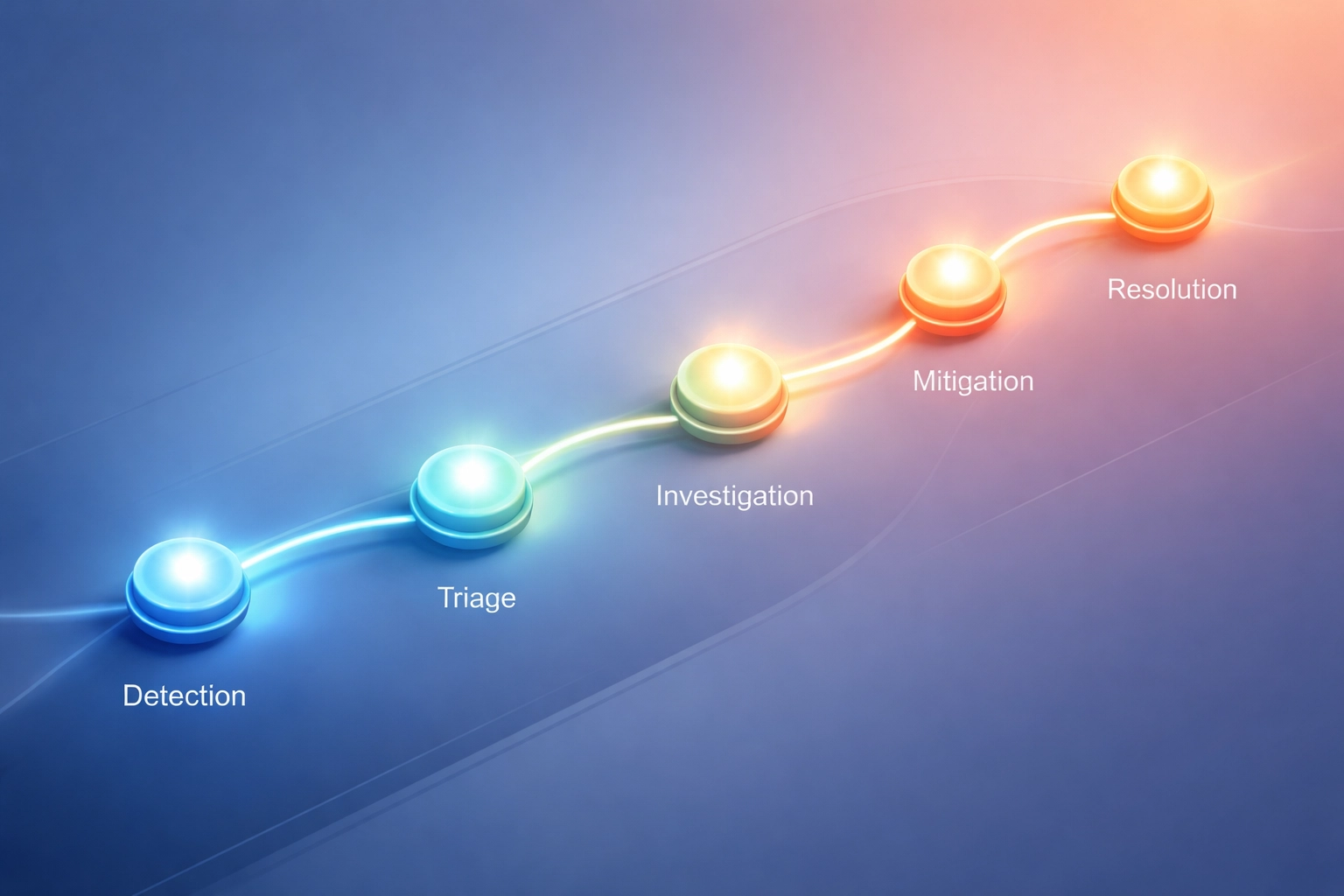
Transparency builds trust. When employees submit a report through the Veri‑Hub Compliance Dashboard, they’re not sending it into a black hole. Here’s the typical workflow:
Step 1: Instant Logging and Notification
The moment an employee hits "submit," the incident is logged with a timestamp, unique ID, and all submitted details. Designated admins receive an immediate alert.
Step 2: Initial Review and Assignment
An administrator reviews the submission, categorizes the incident (privacy, security, operational), and assigns it to the appropriate team member for investigation.
Step 3: Investigation and Risk Assessment
The assigned investigator gathers additional information, interviews relevant staff, and assesses whether ePHI was potentially compromised. This step determines whether the incident qualifies as a breach under HIPAA's risk assessment criteria.
Step 4: Containment and Remediation
Based on findings, your team takes action: revoking access, wiping devices, patching vulnerabilities, retraining staff, or other corrective measures.
Step 5: Documentation and Closure
All actions, findings, and decisions are documented in the Veri‑Hub Compliance Dashboard. The incident is marked as resolved, and records are retained to support audit‑ready documentation and consistent internal follow‑through.
Step 6: Breach Notification (If Required)
If the investigation confirms a reportable breach, your compliance team has the documentation needed to meet HIPAA's notification requirements: including reports to affected individuals, HHS, and potentially media outlets for larger breaches.
Roles and Responsibilities: Who Does What?
Clear accountability prevents incidents from falling through the cracks. Here’s how roles typically break down with the Veri‑Hub Compliance Dashboard workflow:
Role | Responsibility |
All Employees | Report incidents immediately through the Veri‑Hub Compliance Dashboard form |
Department Managers | Encourage reporting culture; assist with initial triage |
IT/Security Team | Investigate technical incidents; implement containment measures |
Privacy/Compliance Officer | Oversee investigations; conduct breach risk assessments; manage notifications |
Administrators | Assign incidents; track progress; keep documentation organized and audit‑ready |
Executive Leadership | Review trends; approve policies; support security and documentation improvements |
The beauty of a centralized system is visibility. Everyone involved can see where an incident stands without chasing down updates via email or Slack.
Meeting HIPAA Timelines with Confidence
HIPAA doesn't give you much wiggle room on timing:
Breach notification to individuals: Within 60 days of discovery
Notification to HHS: Annually for breaches affecting fewer than 500 individuals; within 60 days for larger breaches
Media notification: Within 60 days for breaches affecting 500+ residents of a state or jurisdiction
Documentation retention: Six years minimum (per 45 CFR 164.316(b)(2)(i))
Automated incident reporting helps you meet these deadlines by:
Capturing the discovery date automatically (no disputes about when you "knew")
Tracking investigation progress so nothing stalls
Generating exportable reports for regulators and auditors
Maintaining a complete audit trail that demonstrates good-faith compliance efforts
Even if an incident doesn't rise to the level of a breach, having it documented shows regulators you take your HIPAA obligations seriously.
Reducing Human Error, Protecting ePHI
Let's be honest: most security incidents involve some element of human error. A misdirected email. A weak password. A door left unlocked.
You can't eliminate human error entirely. But you can design systems that make the right actions easier than the wrong ones.
That’s the philosophy behind the Veri‑Hub Compliance Dashboard incident reporting form. It removes friction so employees actually report issues. It guides them through what information to provide. And it routes reports directly to the people who can act—without relying on someone remembering the compliance officer’s email address.
Over time, this builds a healthier security culture. Employees see that their reports are taken seriously and handled professionally. That encourages more reporting, which means earlier detection, which means better protection for your patients' ePHI.
Ready to Simplify Your Incident Response?
If your incident reporting process still relies on email threads, paper forms, or “word of mouth,” it’s time to put a safer, more consistent system in place—especially if you’re a solo provider, clinic, or small healthcare practice that needs audit‑ready documentation without enterprise complexity.
The automated incident reporting form in the Veri‑Hub Compliance Dashboard helps your team capture what happened, when it was discovered, what actions were taken, and who owned next steps—so you can respond with confidence and keep documentation organized.
And incident reporting is only one part of the picture. Veri‑Se3ure centralizes the core HIPAA Security Rule safeguard areas small practices need to document and maintain:
document and track employee access levels
assign and monitor annual cyber‑awareness training
record and manage incident response reporting
maintain HIPAA‑aligned security policies—including Veri‑Se3ure Policies, our integrated audit‑ready policy library tailored for small practices
Request a demo to see how Veri‑Se3ure and the Veri‑Hub Compliance Dashboard can bring more structure, clarity, and real‑world usability to your HIPAA security documentation—without the weight of enterprise tools.
Have questions about incident response planning or HIPAA requirements? Visit our FAQ or explore our security awareness training resources to help your team stay prepared.
Disclaimer: This blog post is for informational purposes only and does not constitute legal advice. HIPAA compliance requirements vary based on your organization's specific circumstances. Consult with qualified legal and compliance professionals to ensure your incident response procedures meet all applicable regulatory requirements.


Comments